


Security Phone Cleaner
4.46.00 Reviews
App Specs
- Version
- 1.0.5
- Updated On
- License
- Free
- Downloads
- 100,000+
- Developer
- NGAT-NGAT
- Categories
- Tools
- Platform
- Android
Screenshots
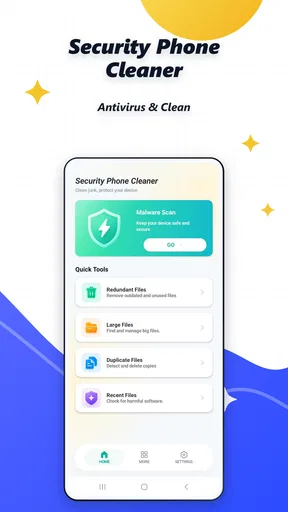
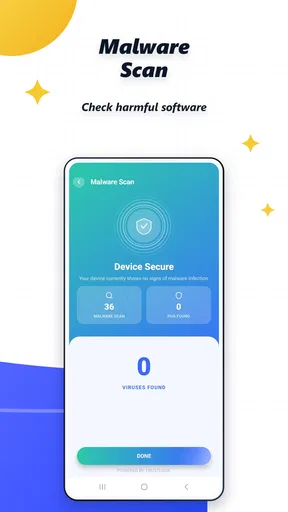
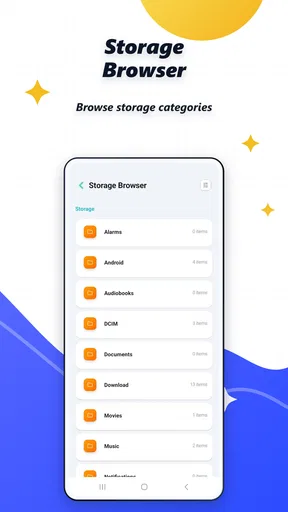
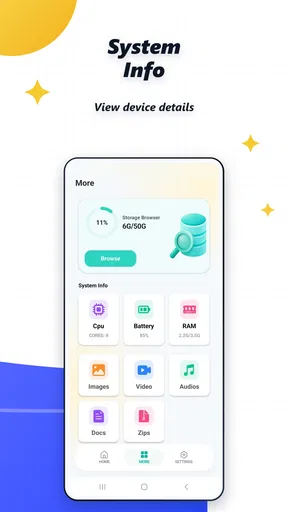
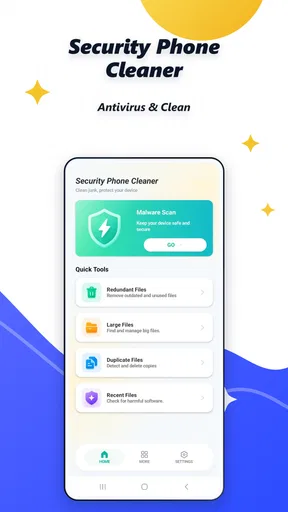
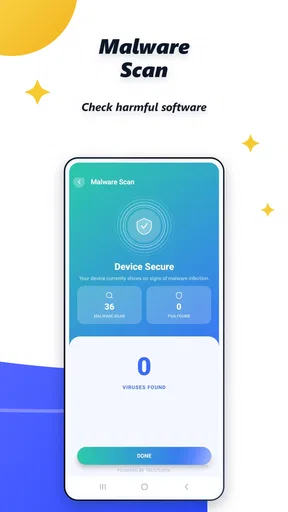
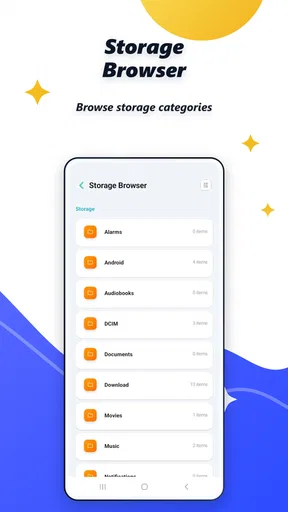
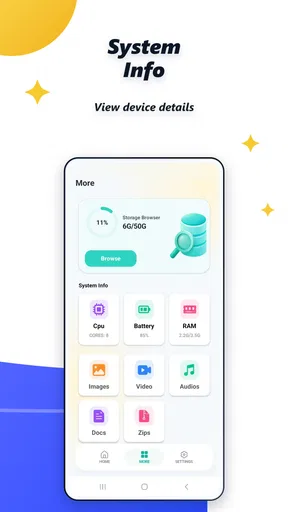
 Analysis by AppCompare
I approached Security Phone Cleaner as a practical tools app rather than something to leave running and forget. Its purpose is immediately clear from its focus on phone security, cleaning, and antivirus-related maintenance, but the useful question is whether it fits the way you actually manage an Android phone. In my view, it is most interesting for people who want one place to begin checking a cluttered or uneasy-feeling device, while users who already rely on separate, established Android tools may find its all-in-one approach less necessary.
The app comes from NGAT-NGAT and is free to use, with an Everyone content rating. It has reached over one hundred thousand installs and holds a 4.4 average from around two thousand ratings, which gives it a reasonable level of early visibility without making it feel like an unavoidable default. The current release is version 1.0.5, and it runs on Android 7.0 or later. Those details matter because the app is accessible to owners of older phones, not only people using recent hardware.
How Security Phone Cleaner feels during everyday use
In everyday use, I’d treat Security Phone Cleaner as a prompt to pause and inspect rather than a routine that needs to run constantly. That makes it easier to separate a genuine storage or security concern from the ordinary ups and downs of an older phone, and it keeps useful files from being cleared in a hurry. Next, I’d focus on how to make the first check purposeful, so the result answers a real question about the device.
Speed expectations before you start a scan
My first expectation with a cleaner is not that it will magically transform a phone, but that it will help me identify what deserves attention without creating another chore. That is the standard I would use here. A security and cleaning tool can feel fast when it turns a vague problem—“my phone feels full” or “something seems wrong”—into a short, understandable inspection. It can also feel slow if every action leads to repeated prompts, unclear categories, or a long wait before showing anything useful.
For that reason, I would not judge this app solely by how quickly its opening screen appears. The more important test is how quickly it helps me decide what to do next. If I were checking a phone before a trip, I would use it as a preparation step: review the device, look for obvious clutter, and avoid deleting anything until I understand the result. That workflow is safer than treating a cleaner as a one-tap solution.
The free price makes experimentation easy, but it also raises the need for sensible expectations. Free cleaning apps often attract people who want an instant speed boost. I would be cautious with that promise in general. Removing genuinely unnecessary material can make storage management easier, yet it does not automatically repair an aging battery, improve a weak signal, or turn modest hardware into a premium phone. The value here is better organization and reassurance, not a guaranteed performance miracle.
What happens when the phone is under heavier use
The most revealing moment for this kind of tool is when the device is already busy. Imagine taking photos during a family event, downloading files for a journey, and switching between messaging, maps, and music. Later, the phone warns that storage is getting tight. That is when a cleaner becomes useful if it can help me review the situation without becoming another demanding process competing for memory and battery.
Worth Reading Before You Choose

EA SPORTS FC Mobile 26 Is a Bigger Football Game, but It Takes Time

Flipboard Shows What News Apps Must Do Beyond the Feed

Switching to Android Auto Means Rethinking Your Driving Routine

Google Calendar Makes a Crowded Week Easier to Manage

Ludo King Makes the Most of the Minutes Between Plans

Baby Panda World Brings Quick Play to Modern Phones, but Its Game Library Feels Busy
I would run a check after closing apps I no longer need, rather than while navigation or a video call is active. This is a small but important habit: it reduces interruptions and makes the result easier to interpret. I would also connect the phone to power if I expected a broad scan to take time. That is not a criticism unique to this app; any maintenance utility is better used when the phone is not already handling something important.
A second realistic scenario is troubleshooting. If an Android phone suddenly feels less responsive after installing several apps, I would use Security Phone Cleaner as an inspection point, then compare its suggestions with the phone’s own storage and app-management screens. The app may help me notice a problem, but I would not let any cleaner make me skip the basic checks: recent installations, unusually large files, available storage, and whether the slowdown appears only in one application.
The safest workflow is inspect first, remove second, and restart only when the phone’s own behavior supports that decision. That approach prevents the common mistake of deleting useful downloads simply because they appear in a broad cleaning category. It also makes the app more valuable as a decision aid than as a button I press automatically every morning.
Stability and reliability in practical situations
Reliability means more than avoiding a crash. For a security utility, I want its results to be understandable, its actions to feel deliberate, and its behavior to remain predictable when the phone has limited free space. I also want to know what I am approving before anything is cleaned. My confidence would drop quickly if a recommendation were vague or if the app encouraged aggressive maintenance without explaining the consequence.
Because this is a relatively early version, I would approach it with normal care rather than assuming it replaces every built-in Android safeguard. Version 1.0.5 suggests an actively developing product, but a version number alone is not proof of flawless behavior. I would keep the operating system updated, review each proposed cleanup, and avoid using any maintenance application as the only line of defense against suspicious activity.
That distinction is especially important with antivirus wording. A cleaner can be useful for organizing a phone and checking for concerns, but security decisions should still involve common sense. I would not install unknown applications merely because a cleaner is present, and I would not open a suspicious attachment because I expect the app to catch every possible threat. The strongest protection remains a combination of careful downloads, Android updates, and attention to unusual behavior.
For recovery, I would use the app after a problem appears, not only as a routine ritual. If storage is crowded, the phone is showing repeated warnings, or I need room for an important download, a targeted review makes sense. Before removing anything, I would copy irreplaceable photos and documents elsewhere. This is one of the most useful habits with any cleaner: recovery is easier when important files are protected before maintenance begins.
Older phones and device constraints
Support for Android 7.0 or later gives this app a broad reach. That is good news for people keeping an older handset in service, using a backup phone, or handing a device to a family member. At the same time, older hardware is exactly where expectations need to be realistic. A phone with limited storage or memory may benefit from better housekeeping, but the scan itself still has to run on that same hardware.
On a modest device, I would avoid starting a check while the phone is nearly out of space or already overheating. I would also leave room for the operating system to work normally. A nearly full phone can behave badly even before a cleaner is opened, so I would first remove files I personally recognize as disposable, such as completed downloads, rather than relying on an automated sweep to solve everything.
There is another trade-off for older Android users. A broad compatibility range is convenient, but it does not mean every phone will feel equally responsive. Newer devices usually have more headroom for scanning and switching between screens. Older ones may make the process feel more deliberate. I would not interpret that automatically as instability; the device itself, background activity, and the amount of stored material can all affect the experience.
For a family phone, I would explain the app before handing over the cleaning task. Someone unfamiliar with storage categories may assume every suggested item is useless. A short review together is better than giving a child or less technical relative permission to clear files without understanding what they are. The Everyone rating makes the app broadly approachable, but responsible use still depends on the person operating it.
Where it fits beside Android’s usual alternatives
Android already provides basic ways to inspect storage, manage applications, and handle permissions. Those built-in screens are often the best place to confirm what is taking space because they are tied closely to the operating system. Security Phone Cleaner is more appealing when I want a single maintenance-oriented starting point instead of moving through several settings pages.
That convenience comes with a trade-off. A dedicated cleaner may present information in a friendlier, more focused way, but I still prefer the system settings for final confirmation before uninstalling an application or deleting a personal file. In other words, I see this app as a front door to maintenance, while Android’s own tools remain the reference point when a decision has consequences.
It also sits beside traditional antivirus products, but I would not treat all security apps as interchangeable. Someone who needs a long-established security suite, detailed controls, or a broader security ecosystem may be better served by a specialist product that concentrates on protection rather than combining cleaning with security language. Conversely, someone who simply wants a free utility for occasional checks may appreciate the simpler, more unified direction here.
The important comparison is not which app displays the most warnings. It is which tool helps you make a correct decision with the least confusion. If Android’s storage screen already answers your question, opening another utility may add little. If you regularly forget where downloads accumulate or prefer a guided maintenance routine, Security Phone Cleaner has a clearer reason to exist.
Three habits that make the app more useful
First, I would create a small “before and after” routine without expecting artificial speed claims. Note what problem you are trying to solve—low storage, an unfamiliar app, or general housekeeping—then check whether the phone actually behaves better afterward. This keeps the review grounded in your own situation and prevents deleting items simply to produce a dramatic-looking result.
Second, I would run maintenance at a calm time rather than whenever the phone is under pressure. A weekly or occasional check may be more sensible than constant cleaning, especially if the device is stable. Repeatedly scanning a phone that has no clear problem can waste your attention and may encourage unnecessary changes. The app is more helpful when it supports a purpose, such as preparing for travel or freeing space for a system update.
Third, I would separate security concern from storage concern. A full downloads folder is not automatically a virus, and a clean storage screen does not prove that every security risk is gone. Treat those as two different questions. Use the cleaner to organize and inspect, then use careful installation habits and Android’s own controls to decide whether an application deserves to remain on the phone.
A fourth useful habit is to review results on the phone’s largest user account rather than assuming every device profile has the same needs. Shared phones can contain work files, school material, photos, and temporary downloads belonging to different people. A recommendation that looks harmless to one person may be important to another. This is where human review matters more than automation.
Who should use it, and who should skip it
I would recommend giving Security Phone Cleaner a try if you use an older Android phone, dislike digging through several settings menus, or want a free place to begin a general security and storage check. It can also suit people who are helping a relative maintain a phone and need a more approachable starting point than a dense system settings page.
I would be more hesitant to recommend it as a primary security solution for someone with sensitive professional data, strict device-management requirements, or a need for detailed security reporting. That person may prefer a specialist security product or the controls already supplied by an employer. I would also skip it if your phone has plenty of storage, runs smoothly, and Android’s built-in tools already give you all the information you need.
Users who expect one tap to solve every slowdown should lower their expectations. The app can be part of a maintenance routine, but it cannot compensate for failing hardware, a damaged battery, a poor network connection, or a badly designed third-party application. If only one app is slow, I would investigate that app directly instead of repeatedly cleaning the whole phone.
My performance verdict after weighing convenience against control
My overall view is cautiously positive. Security Phone Cleaner has a sensible role as a free, approachable Android tools app that brings cleaning and security-oriented maintenance into one place. Its reach across Android 7.0 and later is useful, and its early 4.4 average suggests that many users find the general experience worthwhile. I would still treat that rating as a starting signal, not a substitute for checking whether its workflow suits your phone.
In terms of perceived speed, I would expect the app to feel most valuable when it shortens the path from “something is wrong” to “I know what to inspect.” During heavy use, I would run it carefully and avoid competing tasks. For reliability, I would keep final deletion decisions in my own hands. On older hardware, I would allow extra patience and avoid confusing a device limitation with an app failure.
The strongest reason to install it is convenience, not a promise of dramatic transformation. The strongest reason to pass is that Android already covers many basic maintenance tasks and specialist security software may offer deeper protection. For my own use, I would keep it as an occasional inspection tool, protect important files before cleaning, and compare its recommendations with system settings. Used that way, Security Phone Cleaner feels practical and low-risk for everyday housekeeping, provided you remember that good phone maintenance still depends on informed choices rather than automation alone.
Pros
- Quickly identifies junk files and leftover data.
- Simple interface suitable for users of all experience levels.
- Can help free storage space on older devices.
- Useful privacy checks for potentially exposed app permissions.
- Offers convenient maintenance tools in one place.
Cons
- Some cleaning results may require manual review before deletion.
- Aggressive cleanup can remove files you intended to keep.
- Performance benefits may be limited on devices with ample storage.
- Frequent notifications may feel intrusive to some users.
- Advanced features may be restricted behind in-app purchases.
FAQs for Security Phone Cleaner
What is Security Phone Cleaner, and what does it do?
Security Phone Cleaner is designed to help maintain an Android device by identifying unnecessary files, cached data, duplicate content, and other items that may consume storage. It may also include basic security or device-monitoring tools, depending on the installed version. Before using its cleaning features, review the scan results carefully because some files classified as unnecessary may still be useful to you.
Is Security Phone Cleaner safe to install and use?
The application should be downloaded only from a trusted official store or verified source, and you should check the developer name, recent reviews, permissions, and privacy information before installation. Like any cleaner or security utility, it may request access to storage, installed apps, or device information. Grant only permissions that are clearly required for the features you intend to use.
Can Security Phone Cleaner improve my phone’s performance?
Security Phone Cleaner may help free storage by removing temporary files, obsolete cache data, and other unwanted items. This can make a device feel less cluttered, particularly when storage is nearly full. However, it cannot replace proper system maintenance, uninstalling unused applications, or upgrading old hardware. Cleaning the cache too frequently may also provide little benefit and can cause apps to rebuild temporary data.
Does Security Phone Cleaner delete personal photos, videos, or important files?
A reputable cleaner should normally display the categories and files selected for removal before anything is deleted. Nevertheless, users should not rely on automatic recommendations without checking them. Review duplicate photos, large files, downloads, and messaging folders carefully, and create a backup before performing a deep cleanup. Avoid confirming deletion if the app’s explanation is unclear or if an item may be needed later.
Is Security Phone Cleaner free, or does it require a subscription?
The basic download may be free, but some versions of Security Phone Cleaner can restrict advanced tools behind advertising, in-app purchases, or a recurring subscription. Check the Google Play or App Store listing for the current pricing, trial terms, renewal conditions, and cancellation instructions. If a free trial is offered, confirm when billing begins and cancel it through your store account if you do not want to continue.


